









について [JA TRANSLATION NEEDED] Choir Game

ホーム > [JA TRANSLATION NEEDED] Choir Game

4.1/5 (123 votes)

Game Introduction

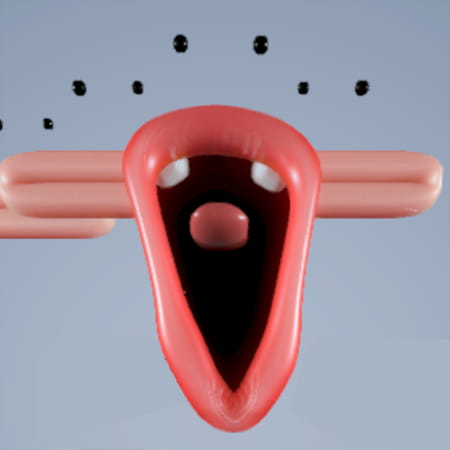
[JA TRANSLATION NEEDED] Blob Opera is not a traditional game with levels or objectives, but rather an interactive musical experiment or a “musical toy.” It allows users to control a quartet of colorful, endearing “blobs” to create operatic music in real-time. Each blob represents a different vocal range: bass, tenor, mezzo-soprano, and soprano.

[JA TRANSLATION NEEDED] The game utilizes a machine learning model trained on the voices of four real opera singers. The model doesn’t simply play back pre-recorded samples; instead, it generates synthesized, fluid vocal sounds based on the user’s input, creating surprisingly realistic and harmonious choral music. The primary goal is creative expression and fun, allowing anyone, regardless of musical skill, to compose beautiful and often hilarious opera pieces.

Gameplay Strategy & Tips

[JA TRANSLATION NEEDED] Since there is no “winning,” the strategy revolves around creating pleasant or interesting music.

[JA TRANSLATION NEEDED] 1. Understand the Controls: The most crucial part is mastering the two axes of control. Vertical movement controls pitch (how high or low the note is), and horizontal movement controls the vowel sound (e.g., ‘a’, ‘e’, ‘i’, ‘o’, ‘u’). [JA TRANSLATION NEEDED] 2. Harmonize Intelligently: When you move one blob, the others automatically adjust to create a harmony. Pay attention to how they follow the lead singer. Start with slow, deliberate movements to hear how the harmonies form. [JA TRANSLATION NEEDED] 3. Use Solos for Melodies: To create a clear melody, click on a single blob to disable the others temporarily. Drag it around to craft a lead vocal line. Then, click the “All” toggle to bring the harmony back in, and the other blobs will support your melody. [JA TRANSLATION NEEDED] 4. Experiment with Vowels: Don’t just move the blobs up and down. Dragging them forward and backward (or left and right) dramatically changes the texture of the sound. A slow drag from front to back can create a beautiful “wah” effect. [JA TRANSLATION NEEDED] 5. Record and Share: The best way to “finish” a piece is to use the record function. Plan a small composition—perhaps a solo followed by a full chorus—and record it. You can then share a link to your performance with others. [JA TRANSLATION NEEDED] 6. Explore Festive Modes: The game often includes special themed modes (like a Christmas mode). Look for a toggle icon (e.g., a Christmas tree) to switch backgrounds, hats for the blobs, and a playlist of festive songs the blobs can harmonize with.

Controls Guide

[JA TRANSLATION NEEDED] The controls are simple and intuitive, designed for mouse or touch input.

  • Drag a Blob Up/Down: Increases or decreases the pitch of the note.
  • Drag a Blob Forward/Backward: Changes the vowel sound.
  • Click/Tap on a Single Blob: Selects that blob for a solo performance, temporarily muting the others.
  • Mute/Unmute Toggles: At the bottom of the screen, there are individual toggles to mute or unmute each singer. There is also a master toggle to control them all at once.
  • Record Button (Red Circle): Click this to start recording your composition. Click it again to stop.
  • Share Button: After you finish a recording, a share button will appear, allowing you to copy a link to your created performance.
  • Theme Toggle (e.g., Christmas Tree Icon): Switches the game to a different theme, often with new background music to sing along to.

Frequently Asked Questions (FAQ)

[JA TRANSLATION NEEDED] 1. Is there a goal or an ending to the game?

Frequently Asked Questions (よくある質問)

  • Theme Toggle (e.g., Christmas Tree Icon): Switches the game to a different theme, often with new background music to sing along to.
  • Share Button: After you finish a recording, a share button will appear, allowing you to copy a link to your created performance.
  • Record Button (Red Circle): Click this to start recording your composition. Click it again to stop.
  • Mute/Unmute Toggles: At the bottom of the screen, there are individual toggles to mute or unmute each singer. There is also a master toggle to control them all at once.
  • Click/Tap on a Single Blob: Selects that blob for a solo performance, temporarily muting the others.
  • Drag a Blob Forward/Backward: Changes the vowel sound.
  • Drag a Blob Up/Down: Increases or decreases the pitch of the note.

Frequently Asked Questions (よくある質問)

[JA TRANSLATION NEEDED] No, Blob Opera is a sandbox experience. There are no points, levels, or objectives. The “goal” is simply to have fun, experiment with music, and create something you enjoy.

[JA TRANSLATION NEEDED] 2. Are the voices from real singers? [JA TRANSLATION NEEDED] The sounds are generated by a machine learning model. This model was trained on many hours of recordings from four real opera singers (Christian Joel - tenor, Frederick Tong - bass, Joanna Gamble - mezzo-soprano, and Olivia Doutney - soprano). So, while you aren’t hearing direct recordings, the voices are based on real human performances.

[JA TRANSLATION NEEDED] 3. Can I make the blobs sing specific words or lyrics? [JA TRANSLATION NEEDED] No. You can only control the pitch and the vowel sounds. The blobs cannot form consonants, so they cannot sing lyrics.

[JA TRANSLATION NEEDED] 4. How do I save my musical creation? [JA TRANSLATION NEEDED] You cannot save it as a file (like an MP3). However, you can use the record function to capture a performance. After recording, the game provides a shareable link that allows anyone with the link to watch and listen to your specific composition.

[JA TRANSLATION NEEDED] 5. Is the game free to play? [JA TRANSLATION NEEDED] Yes, Blob Opera is a free web-based experiment accessible through any modern browser.

Yes, Blob Opera is a free web-based experiment accessible through any modern browser.